

Data Table
Rows of data under headings: sorting, row selection, and long data built as it scrolls.
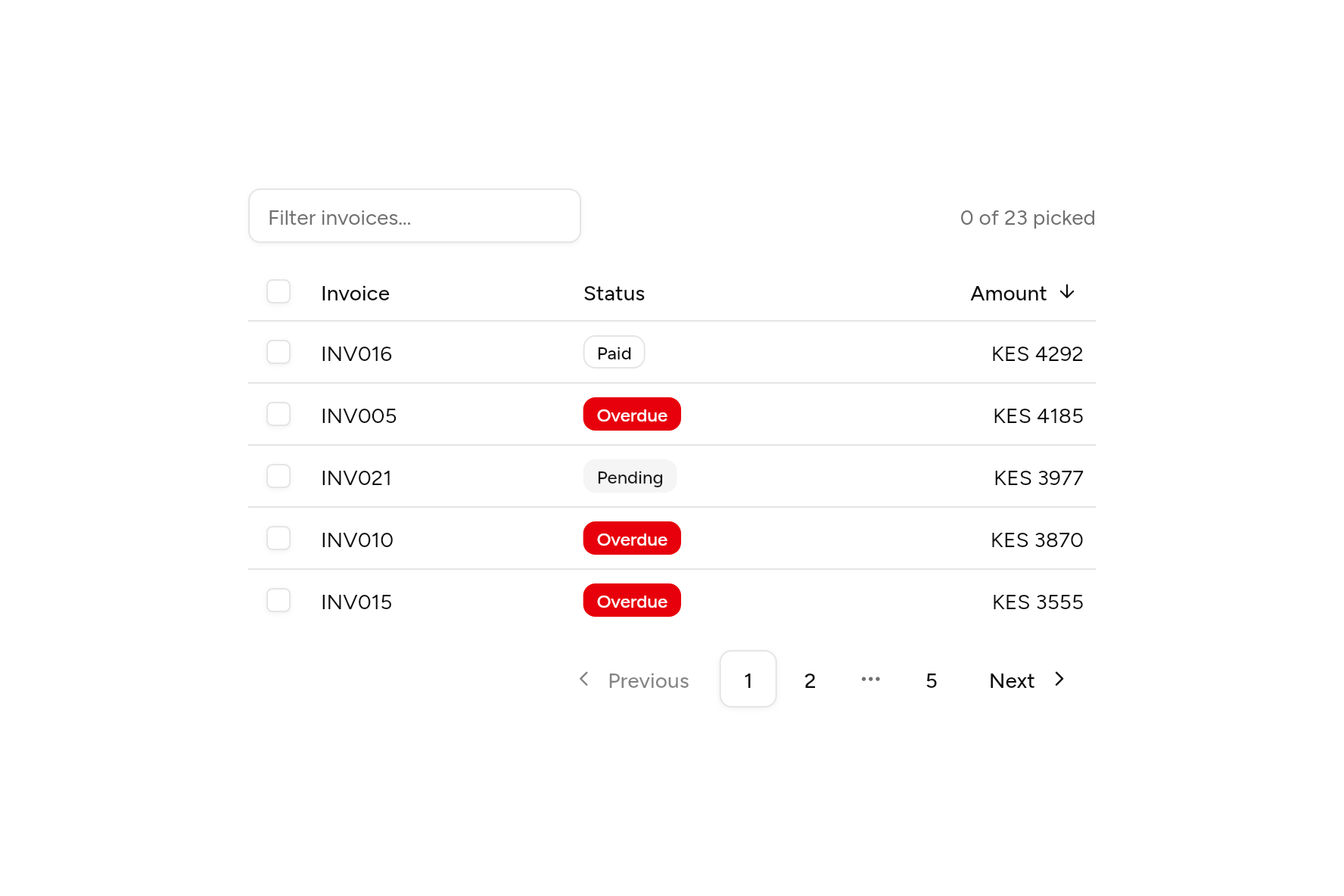
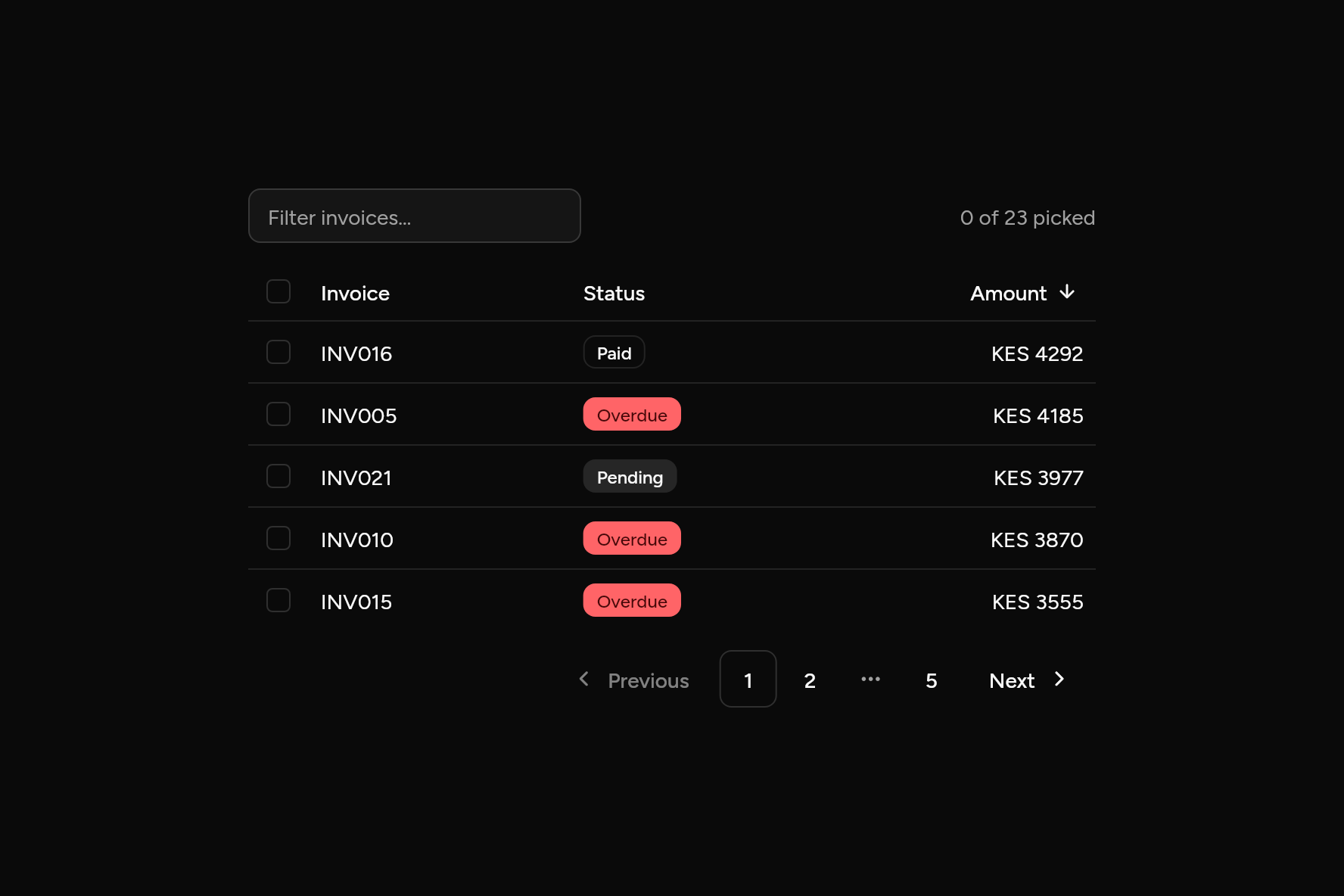
import 'package:flutter/widgets.dart';

import 'ui/badge.dart';
import 'ui/data_table.dart';
import 'ui/input.dart';
import 'ui/pagination.dart';
import 'ui/theme.dart';

class DataTableDemo extends StatefulWidget {
  const DataTableDemo({super.key});

  @override
  State<DataTableDemo> createState() => _DataTableDemoState();
}

class _DataTableDemoState extends State<DataTableDemo> {
  static final invoices = [
    for (var i = 1; i <= 23; i++)
      (
        number: 'INV${i.toString().padLeft(3, '0')}',
        status: i % 5 == 0 ? 'Overdue' : (i % 3 == 0 ? 'Pending' : 'Paid'),
        amount: 500 + (i * 737) % 4000,
      ),
  ];

  String filter = '';
  bool ascending = false;
  int page = 1;
  Set<String> picked = {};
  static const perPage = 5;

  @override
  Widget build(BuildContext context) {
    final t = AshlarTheme.of(context);
    // The table shows what it is given: filtering, sorting and paging happen here.
    final rows = invoices.where((i) => i.number.toLowerCase().contains(filter.toLowerCase())).toList()
      ..sort((a, b) => ascending ? a.amount.compareTo(b.amount) : b.amount.compareTo(a.amount));
    final pages = (rows.length / perPage).ceil().clamp(1, 99);
    final shown = rows.skip((page.clamp(1, pages) - 1) * perPage).take(perPage).toList();
    return SizedBox(
      width: 560,
      child: Column(
        mainAxisSize: MainAxisSize.min,
        crossAxisAlignment: CrossAxisAlignment.stretch,
        children: [
          Row(
            children: [
              SizedBox(
                width: 220,
                child: Input(
                  placeholder: 'Filter invoices…',
                  onChanged: (v) => setState(() {
                    filter = v;
                    page = 1;
                  }),
                ),
              ),
              const Spacer(),
              Text('${picked.length} of ${rows.length} picked', style: TextStyle(color: t.colors.mutedForeground)),
            ],
          ),
          const SizedBox(height: 12),
          DataTable(
            columns: const [
              DataColumn(Text('Invoice')),
              DataColumn(Text('Status')),
              DataColumn(Text('Amount'), numeric: true, sortable: true),
            ],
            sortColumn: 2,
            sortAscending: ascending,
            onSort: (_) => setState(() => ascending = !ascending),
            selected: {
              for (final (i, r) in shown.indexed)
                if (picked.contains(r.number)) i,
            },
            onSelectChanged: (s) => setState(() {
              for (final (i, r) in shown.indexed) {
                s.contains(i) ? picked.add(r.number) : picked.remove(r.number);
              }
            }),
            rows: [
              for (final r in shown)
                [
                  Text(r.number),
                  Align(
                    alignment: AlignmentDirectional.centerStart,
                    child: Badge(
                      variant: switch (r.status) {
                        'Overdue' => BadgeVariant.destructive,
                        'Pending' => BadgeVariant.secondary,
                        _ => BadgeVariant.outline,
                      },
                      child: Text(r.status),
                    ),
                  ),
                  Text('KES ${r.amount}'),
                ],
            ],
          ),
          const SizedBox(height: 12),
          Align(
            alignment: AlignmentDirectional.centerEnd,
            child: Pagination(page: page.clamp(1, pages), pageCount: pages, onChanged: (p) => setState(() => page = p)),
          ),
        ],
      ),
    );
  }
}
Add it
In your Flutter project:
ashlar add data-table
It writes theme.dart, palette.dart, group.dart, pressable.dart, checkbox.dart and data_table.dart into lib/ui, keeping any you already have, and adds ashlar_icons to pubspec.yaml. It needs pressable, checkbox and ashlar_icons, which come with it.
Examples
Other ways to use it, each running live, with its code.
Sorting and picking
Headings sort; boxes pick rows.
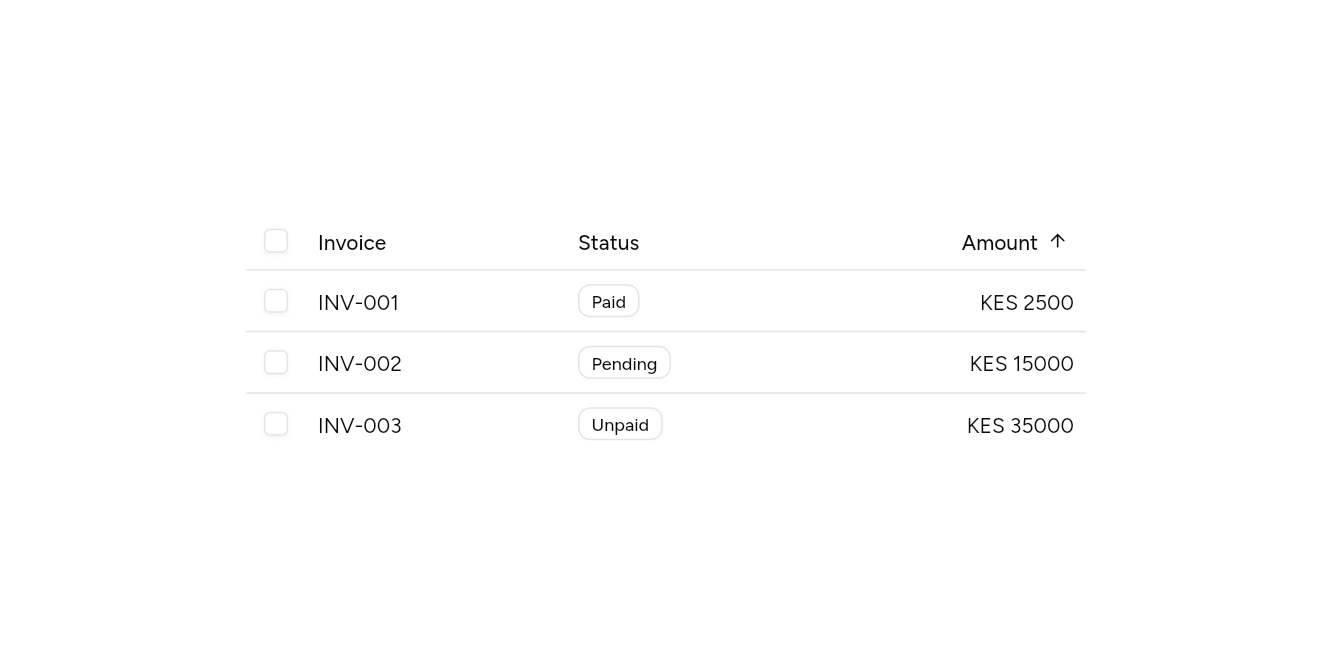
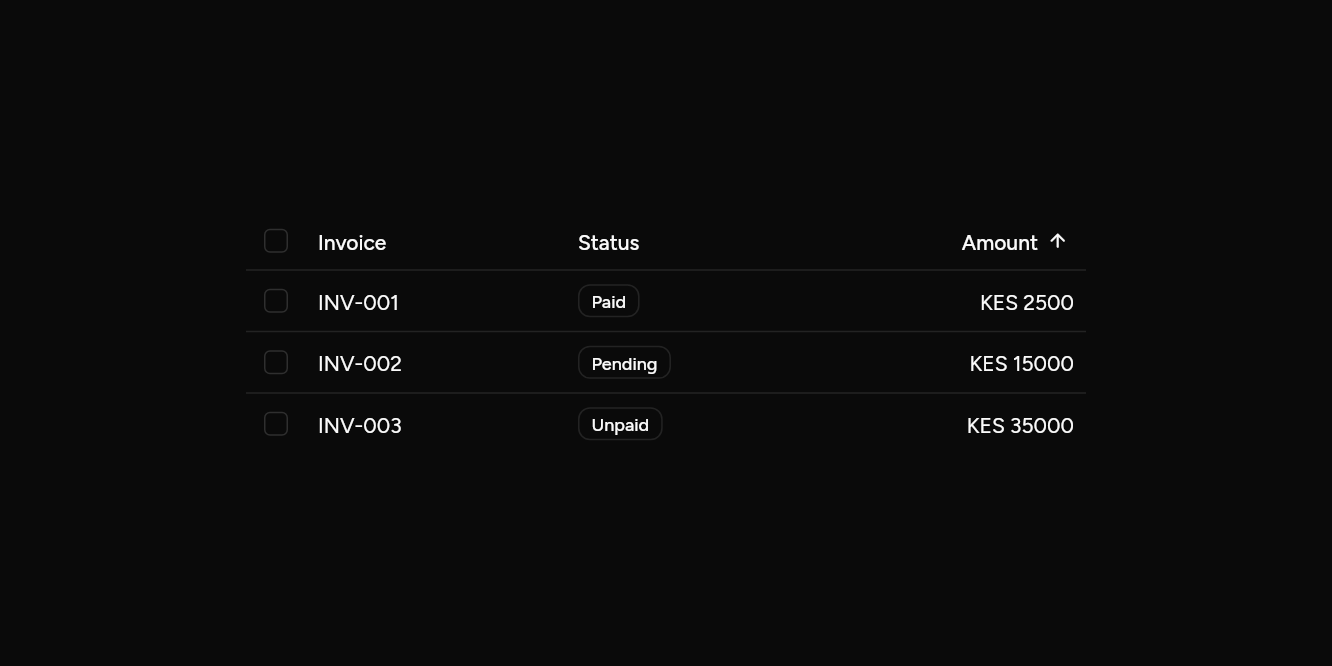
// Sorting and picking: Headings sort; boxes pick rows.
import 'package:flutter/widgets.dart';

import 'ui/badge.dart';
import 'ui/data_table.dart';

class DataTableSortExample extends StatefulWidget {
  const DataTableSortExample({super.key});

  @override
  State<DataTableSortExample> createState() => _DataTableSortExampleState();
}

class _DataTableSortExampleState extends State<DataTableSortExample> {
  var up = true;
  var picked = <int>{};
  final rows = const [('INV-001', 'Paid', 2500), ('INV-002', 'Pending', 15000), ('INV-003', 'Unpaid', 35000)];

  @override
  Widget build(BuildContext context) => SizedBox(
    width: 560,
    child: DataTable(
      sortColumn: 2,
      sortAscending: up,
      onSort: (_) => setState(() => up = !up),
      selected: picked,
      onSelectChanged: (s) => setState(() => picked = s),
      columns: const [
        DataColumn(Text('Invoice')),
        DataColumn(Text('Status')),
        DataColumn(Text('Amount'), numeric: true, sortable: true),
      ],
      rows: [
        for (final (id, status, amount) in (up ? rows : rows.reversed))
          [
            Text(id),
            Align(
              alignment: AlignmentDirectional.centerStart,
              child: Badge(variant: BadgeVariant.outline, child: Text(status)),
            ),
            Text('KES $amount'),
          ],
      ],
    ),
  );
}
Long data
A thousand rows, built as they scroll.
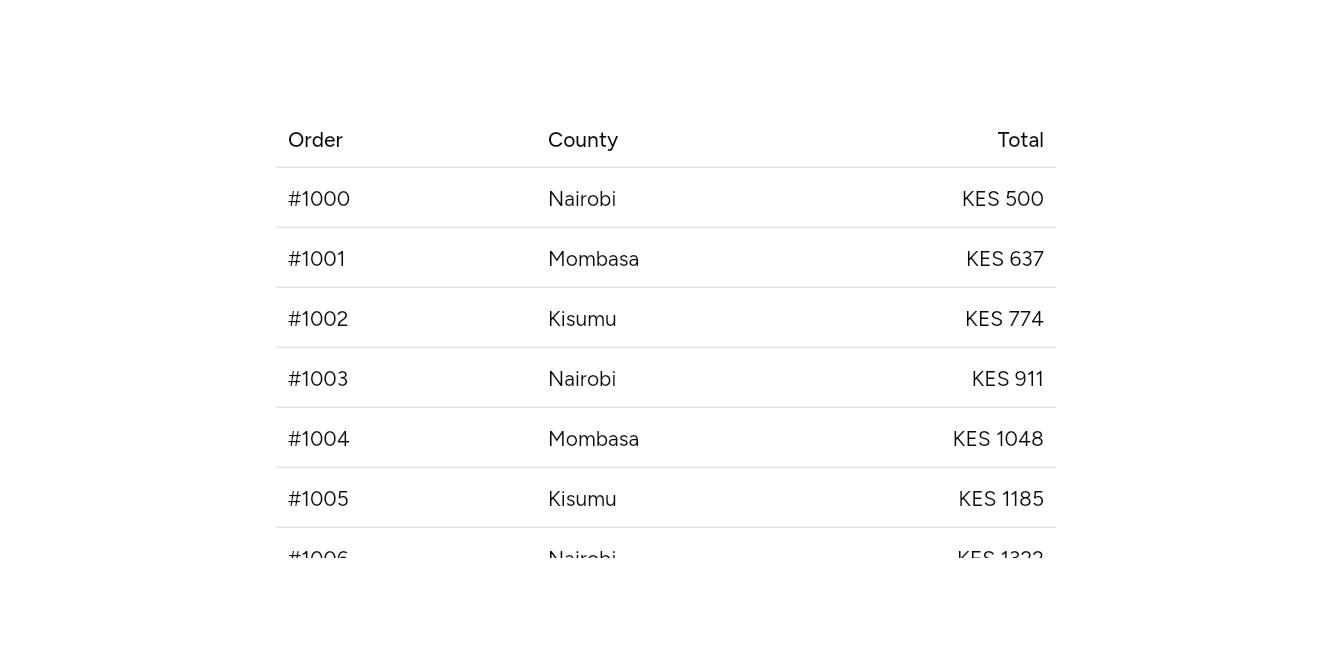
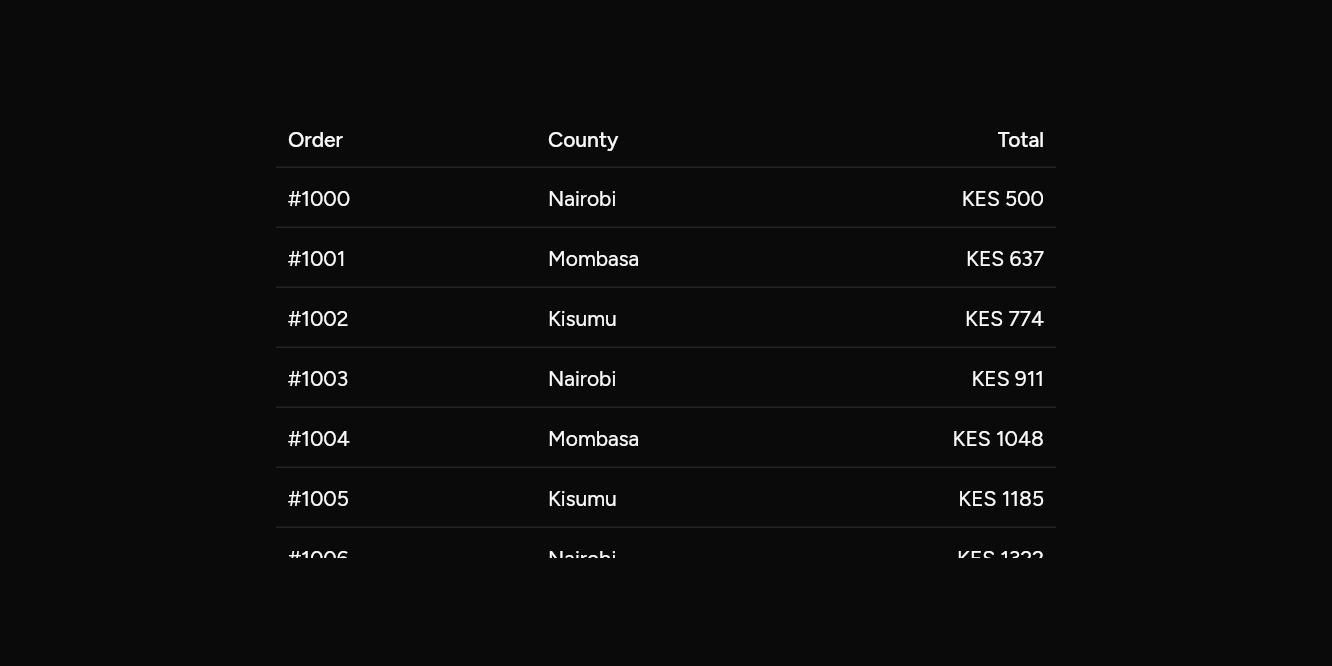
// Long data: A thousand rows, built as they scroll.
import 'package:flutter/widgets.dart';

import 'ui/data_table.dart';

class DataTableLongExample extends StatelessWidget {
  const DataTableLongExample({super.key});

  @override
  Widget build(BuildContext context) => SizedBox(
    width: 520,
    child: DataTable.builder(
      height: 260,
      rowCount: 1000,
      columns: const [DataColumn(Text('Order')), DataColumn(Text('County')), DataColumn(Text('Total'), numeric: true)],
      rowBuilder: (i) => [
        Text('#${1000 + i}'),
        Text(['Nairobi', 'Mombasa', 'Kisumu'][i % 3]),
        Text('KES ${(i * 137) % 9000 + 500}'),
      ],
    ),
  );
}
API
Read from the source above: each parameter with its type, its default, and what it is for.
DataColumnclass
A column of a DataTable: its heading, its share of the width, how its cells line up (numbers to the end), and whether its heading sorts the table.
| Parameter | Type | Default | What it is for |
|---|---|---|---|
labelpositional |
Widget |
The column's heading. | |
flex |
int |
1 |
Its share of the width, against the other columns'. |
numeric |
bool |
false |
Its values line up at the end, as numbers do. |
sortable |
bool |
false |
Its heading is a button that asks for the table sorted by it (DataTable.onSort). |
DataTableclass
Rows of data under column headings: a line between rows, the row under the pointer lit, an optional footer row (totals) and a caption. The table shows the data it is given; sorting, filtering and paging are the app's, told by onSort and done to the rows it passes, so they work the same on ten rows or ten thousand from a server.
With selected and onSelectChanged each row gets a checkbox, and the heading one that picks them all. DataTable.builder builds only the rows on screen, for long data.
DataTable(…)
| Parameter | Type | Default | What it is for |
|---|---|---|---|
columnsrequired |
List<DataColumn> |
The columns, in order. | |
rowsrequired |
List<List<Widget>> |
One widget per column in each row. | |
footer |
List<Widget>? |
Under the last row: totals, a pager. | |
caption |
Widget? |
Under the table, centred: what it holds. | |
onRowPressed |
ValueChanged<int>? |
Makes each row a button. | |
sortColumn |
int? |
The column the rows are sorted by, and which way, for its heading to show. | |
sortAscending |
bool |
true |
Whether the sorted column runs low to high. |
onSort |
ValueChanged<int>? |
Asks for the rows sorted by a column: sort them, and pass them back in. | |
selected |
Set<int>? |
The rows picked, by index; null leaves the checkboxes out. | |
onSelectChanged |
ValueChanged<Set<int>>? |
Told the rows picked; with it, each row has a box to pick it. |
DataTable.builder(…)
| Parameter | Type | Default | What it is for |
|---|---|---|---|
columnsrequired |
List<DataColumn> |
The columns, in order. | |
rowCountrequired |
int |
How many rows there are. | |
rowBuilderrequired |
List<Widget> Function(int index) |
Builds a row's cells, by its number. | |
heightrequired |
double |
The table's height; it scrolls inside it. | |
rowHeight |
double |
40 |
Each row's height. |
footer |
List<Widget>? |
Under the last row: totals, a pager. | |
caption |
Widget? |
Under the table, centred: what it holds. | |
onRowPressed |
ValueChanged<int>? |
Makes each row a button. | |
sortColumn |
int? |
The column the rows are sorted by, and which way, for its heading to show. | |
sortAscending |
bool |
true |
Whether the sorted column runs low to high. |
onSort |
ValueChanged<int>? |
Asks for the rows sorted by a column: sort them, and pass them back in. | |
selected |
Set<int>? |
The rows picked, by index; null leaves the checkboxes out. | |
onSelectChanged |
ValueChanged<Set<int>>? |
Told the rows picked; with it, each row has a box to pick it. |
Source
What lands in your app. It is yours from then on: change it as you would your own code, and ashlar add
will not write over it.
lib/ui/data_table.dart 358 lines
// Ashlar UI: Data Table. Copied into your app by `ashlar add data-table`; it is yours to
// change. (Flutter's widgets layer has a Table for layout; this one is for data.)

import 'package:ashlar_icons/ashlar_icons.dart';
import 'package:flutter/widgets.dart';

import 'checkbox.dart';
import 'pressable.dart';
import 'theme.dart';

/// A column of a [DataTable]: its heading, its share of the width, how its cells line up
/// (numbers to the end), and whether its heading sorts the table.
@immutable
class DataColumn {
  const DataColumn(
    this.label, {
    this.flex = 1,
    this.numeric = false,
    this.sortable = false,
  });

  /// The column's heading.
  final Widget label;

  /// Its share of the width, against the other columns'.
  final int flex;

  /// Its values line up at the end, as numbers do.
  final bool numeric;

  /// Its heading is a button that asks for the table sorted by it ([DataTable.onSort]).
  final bool sortable;
}

/// Rows of data under column headings: a line between rows, the row under the pointer
/// lit, an optional footer row (totals) and a caption. The table shows the data it is
/// given; sorting, filtering and paging are the app's, told by [onSort] and done to the
/// rows it passes, so they work the same on ten rows or ten thousand from a server.
///
/// With [selected] and [onSelectChanged] each row gets a checkbox, and the heading one
/// that picks them all. [DataTable.builder] builds only the rows on screen, for long data.
///
/// ```dart
/// DataTable(
///   columns: [DataColumn(Text('Invoice')), DataColumn(Text('Amount'), numeric: true, sortable: true)],
///   sortColumn: 1,
///   sortAscending: ascending,
///   onSort: (column) => setState(() => ascending = !ascending),
///   rows: [for (final i in sorted) [Text(i.number), Text(i.amount)]],
/// )
/// ```
class DataTable extends StatelessWidget {
  const DataTable({
    super.key,
    required this.columns,
    required List<List<Widget>> this.rows,
    this.footer,
    this.caption,
    this.onRowPressed,
    this.sortColumn,
    this.sortAscending = true,
    this.onSort,
    this.selected,
    this.onSelectChanged,
  }) : rowCount = null,
       rowBuilder = null,
       height = null,
       rowHeight = 40;

  /// Long data, built a row at a time as it scrolls into view under a fixed heading.
  /// Every row is [rowHeight] tall, and the table is [height] tall.
  const DataTable.builder({
    super.key,
    required this.columns,
    required int this.rowCount,
    required List<Widget> Function(int index) this.rowBuilder,
    required double this.height,
    this.rowHeight = 40,
    this.footer,
    this.caption,
    this.onRowPressed,
    this.sortColumn,
    this.sortAscending = true,
    this.onSort,
    this.selected,
    this.onSelectChanged,
  }) : rows = null;

  /// The columns, in order.
  final List<DataColumn> columns;

  /// One widget per column in each row.
  final List<List<Widget>>? rows;

  /// How many rows there are.
  final int? rowCount;

  /// Builds a row's cells, by its number.
  final List<Widget> Function(int index)? rowBuilder;

  /// The table's height; it scrolls inside it.
  final double? height;

  /// Each row's height.
  final double rowHeight;

  /// Under the last row: totals, a pager.
  final List<Widget>? footer;

  /// Under the table, centred: what it holds.
  final Widget? caption;

  /// Makes each row a button.
  final ValueChanged<int>? onRowPressed;

  /// The column the rows are sorted by, and which way, for its heading to show.
  final int? sortColumn;

  /// Whether the sorted column runs low to high.
  final bool sortAscending;

  /// Asks for the rows sorted by a column: sort them, and pass them back in.
  final ValueChanged<int>? onSort;

  /// The rows picked, by index; null leaves the checkboxes out.
  final Set<int>? selected;

  /// Told the rows picked; with it, each row has a box to pick it.
  final ValueChanged<Set<int>>? onSelectChanged;

  int get _count => rows?.length ?? rowCount!;
  List<Widget> _row(int i) => rows?[i] ?? rowBuilder!(i);

  @override
  Widget build(BuildContext context) {
    final t = AshlarTheme.of(context);
    final c = t.colors;
    final picking = selected != null;
    Widget line(List<Widget> cells, {required TextStyle style, Widget? lead}) =>
        Row(
          children: [
            if (picking)
              SizedBox(
                width: 40,
                child: Center(child: lead ?? const SizedBox()),
              ),
            for (final (i, col) in columns.indexed)
              Expanded(
                flex: col.flex,
                child: Container(
                  constraints: BoxConstraints(minHeight: rowHeight),
                  padding: const EdgeInsets.symmetric(horizontal: 8),
                  alignment: col.numeric
                      ? AlignmentDirectional.centerEnd
                      : AlignmentDirectional.centerStart,
                  child: DefaultTextStyle.merge(
                    style: style,
                    maxLines: 1,
                    overflow: TextOverflow.ellipsis,
                    textAlign: col.numeric ? TextAlign.end : TextAlign.start,
                    child: i < cells.length ? cells[i] : const SizedBox(),
                  ),
                ),
              ),
          ],
        );
    Widget heading(int i, DataColumn col) {
      if (!col.sortable || onSort == null) {
        return Semantics(header: true, child: col.label);
      }
      final sorted = sortColumn == i;
      return Pressable(
        onPressed: () => onSort!(i),
        builder: (context, state) => Container(
          padding: const EdgeInsets.symmetric(horizontal: 4, vertical: 4),
          decoration: BoxDecoration(
            color: state.hovered ? c.accent : c.accent.withValues(alpha: 0),
            borderRadius: BorderRadius.circular(t.radiusSm),
            boxShadow: [if (state.focused) ...t.focusRing],
          ),
          child: Row(
            mainAxisSize: MainAxisSize.min,
            children: [
              Flexible(
                child: Semantics(
                  header: true,
                  label: sorted
                      ? (sortAscending
                            ? 'sorted ascending'
                            : 'sorted descending')
                      : null,
                  child: col.label,
                ),
              ),
              const SizedBox(width: 6),
              AshlarIcon(
                sorted
                    ? (sortAscending
                          ? AshlarIconsRoundedStroke.arrowUp
                          : AshlarIconsRoundedStroke.arrowDown)
                    : AshlarIconsRoundedStroke.arrowUpDown,
                size: 14,
                color: sorted ? c.foreground : c.mutedForeground,
              ),
            ],
          ),
        ),
      );
    }

    final all = picking && _count > 0 && selected!.length == _count;
    final head = DecoratedBox(
      decoration: BoxDecoration(
        border: Border(bottom: BorderSide(color: c.border)),
      ),
      child: line(
        [for (final (i, col) in columns.indexed) heading(i, col)],
        style: t.text.sm.copyWith(
          color: c.foreground,
          fontWeight: FontWeight.w500,
        ),
        lead: picking
            ? Checkbox(
                value: all,
                semanticLabel: 'Select all rows',
                onChanged: onSelectChanged == null
                    ? null
                    : (v) => onSelectChanged!(
                        v ? {for (var i = 0; i < _count; i++) i} : {},
                      ),
              )
            : null,
      ),
    );
    Widget body(int i) => _Row(
      last: i == _count - 1 && footer == null,
      picked: selected?.contains(i) ?? false,
      onPressed: onRowPressed == null ? null : () => onRowPressed!(i),
      child: line(
        _row(i),
        style: t.text.sm.copyWith(color: c.foreground),
        lead: picking
            ? Checkbox(
                value: selected!.contains(i),
                semanticLabel: 'Select row ${i + 1}',
                onChanged: onSelectChanged == null
                    ? null
                    : (v) => onSelectChanged!(
                        v ? ({...selected!, i}) : ({...selected!}..remove(i)),
                      ),
              )
            : null,
      ),
    );
    return Column(
      mainAxisSize: MainAxisSize.min,
      crossAxisAlignment: CrossAxisAlignment.stretch,
      children: [
        head,
        if (rows != null)
          for (var i = 0; i < _count; i++) body(i)
        else
          SizedBox(
            height: height,
            child: ListView.builder(
              itemCount: _count,
              itemExtent: rowHeight,
              itemBuilder: (context, i) => body(i),
            ),
          ),
        if (footer != null)
          DecoratedBox(
            decoration: BoxDecoration(
              color: c.muted.withValues(alpha: c.muted.a * .5),
              border: Border(top: BorderSide(color: c.border)),
            ),
            child: line(
              footer!,
              style: t.text.sm.copyWith(
                color: c.foreground,
                fontWeight: FontWeight.w500,
              ),
            ),
          ),
        if (caption != null)
          Padding(
            padding: const EdgeInsets.only(top: 16),
            child: DefaultTextStyle.merge(
              style: t.text.sm.copyWith(color: c.mutedForeground),
              textAlign: TextAlign.center,
              child: caption!,
            ),
          ),
      ],
    );
  }
}

class _Row extends StatefulWidget {
  const _Row({
    required this.child,
    required this.last,
    required this.picked,
    this.onPressed,
  });

  final Widget child;
  final bool last, picked;
  final VoidCallback? onPressed;

  @override
  State<_Row> createState() => _RowState();
}

class _RowState extends State<_Row> {
  bool _hovered = false;

  @override
  Widget build(BuildContext context) {
    final t = AshlarTheme.of(context);
    final c = t.colors;
    Widget row = MouseRegion(
      cursor: widget.onPressed == null
          ? MouseCursor.defer
          : SystemMouseCursors.click,
      onEnter: (_) => setState(() => _hovered = true),
      onExit: (_) => setState(() => _hovered = false),
      child: AnimatedContainer(
        duration: t.duration,
        decoration: BoxDecoration(
          color: widget.picked
              ? c.muted
              : (_hovered
                    ? c.muted.withValues(alpha: c.muted.a * .5)
                    : c.muted.withValues(alpha: 0)),
          border: Border(
            bottom: BorderSide(
              color: widget.last ? const Color(0x00000000) : c.border,
            ),
          ),
        ),
        child: widget.child,
      ),
    );
    if (widget.onPressed != null) {
      row = Semantics(
        button: true,
        onTap: widget.onPressed,
        child: GestureDetector(
          behavior: HitTestBehavior.opaque,
          onTap: widget.onPressed,
          child: row,
        ),
      );
    }
    return MergeSemantics(child: row);
  }
}